

How To Create A Web Server Using Node Js
We will create a web server. Node.js is a very lightweight server. Node js is a platform for building fast and scalable server-side applications using JavaScript.Node.js enablesJavaScript forserver-side scripting and runs scriptsserver-side to produce dynamic web content before the page is sent back to the web browser. There are many modules, such as the "http" and "request" modules, which helps in processing server-related requests in the webserver space.
Installing Node.js server.
I am using Mac. So we can get the node.js using homebrew. It also installsnpm,which is the node package manager.
brew install node Now, you can check the version of the node.js using the following commands.
node -v npm -v
Build nodejs web server.
As an editor, I am using Visual Studio Code, and it has excellent support on Node.js as a platform. So I highly recommend VSCode for the development. You can find more details on their website.
Step 1: Create a project folder.
First, create a folder using the following command.
mkdir node-server-tutorial Okay, now go into that folder and open that folder in your editor, and in my case, it is code.
Inside the root folder, make one file calledserver.js.
Step 2: Write the server.js file.
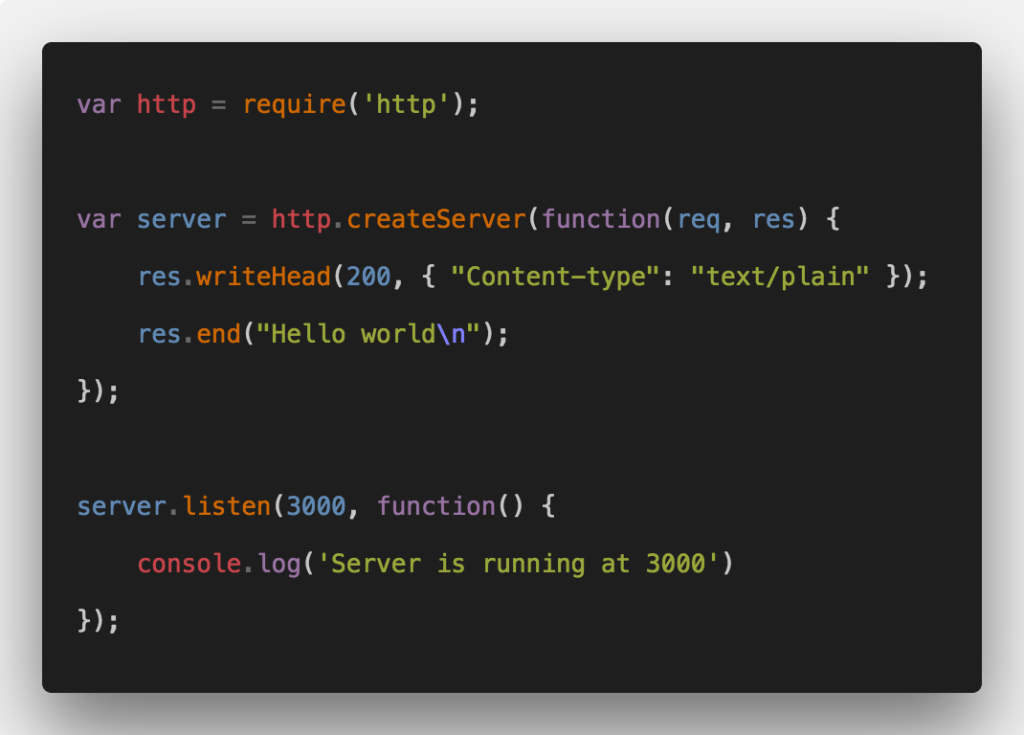
// server.js var http = require('http'); var server = http.createServer(function(req, res) { res.writeHead(200, { "Content-type": "text/plain" }); res.end("Hello world\n"); }); server.listen(3000, function() { console.log('Server is running at 3000') }); So what I have done is use the built-inhttp module.Then, we have used its method createServer.It takes an argument as a req and res. When the browser hits the server, then in response, we will send plain text. Now go to your terminal. I am using iTermfor this project. Type the following command.
Step 3: Run the node.js server.
node server 
So as the terminal said, our node.js web application is running on port 3000. We should check this in our browser. As a default browser, I am using Google Chrome as it is most famous now. Go to http://localhost:3000.You can see that we got a response in plain text that sayshello world.Great!! We have built a fundamental node.js server.
We do not build a server from scratch. There is one framework calledexpress js.We will use express js to construct a server because it is made on top of the node.js framework provides various functionalities that can be very helpful to build a web application.
Step 4: Install the express framework.
Go to your terminal and hit the following command.
npm init It will create a file like this. Some options may differ as per your project.
{ "name": "node-server-tutorial", "version": "1.0.0", "description": "How to create node.js server", "main": "server.js", "scripts": { "test": "echo \"Error: no test specified\" && exit 1", "start": "node server.js" }, "keywords": [ "Node.js", "Web", "server" ], "author": "Krunal Lathiya", "license": "ISC" } Okay, the next step is to install the express framework.
npm install express --save It will also update thepackage.jsonfile. Now, we will see how we can use express to build a web server that's the main purpose is just to respond to a request.
// server.js var express = require('express'); var app = express(); var PORT = 3000; app.get('/', function(req, res) { res.status(200).send('Hello world'); }); app.listen(PORT, function() { console.log('Server is running on PORT:',PORT); }); So what I have done is first require the express module in our application and then use the following two methods.
- get()
- listen()
The server is listening on port 3000. So When a request hits the root(/) URL pattern of the route, then in response, we send the 200 status code plus the content that needs to be sent to the user. Now again, start the server, but now we use a different command.

Express js gives us routing capabilities out of the box. So we can give any URL pattern that is SEO friendly, and according to that, we can send the response. In this case, we will get the same output.

Finally, our Build nodejs web servertutorial is over. Thanks for taking it.
How To Create A Web Server Using Node Js
Source: https://appdividend.com/2018/03/16/how-to-build-node-js-web-server/
Posted by: woodmanthemarly88.blogspot.com
0 Response to "How To Create A Web Server Using Node Js"
Post a Comment